
Building my own Task ToDo app With Django and HTMX. Part II
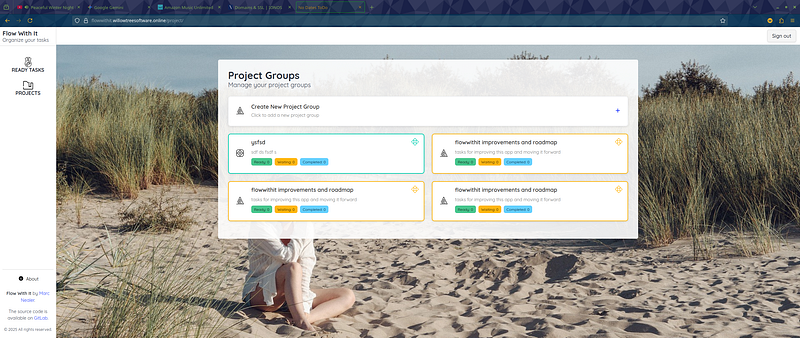
Well I have my app to a MVP and up on a server https://flowwithit.willowtreesoftware.online/ so lets talk about using HTMX and Django-Cotton to build this app.
HTMX
While HTMX is tiny, it’s astonishing how much you can do with it, and the functionality available to you. With that said the Documentation really doesn’t show the full extent of the library and its uses, but that’s not unusual. It just takes time for coders to figure out all the stuff hinted at, or hidden in pages that are not obvious.
When I started on this project, I did make a mistake. I was well on my way to making a Single Page App. HTMX really made this easy, but SPA’s have issues especially when it comes to history and tracking. HTMX does do a good job at tracking and allowing you to back page, but all that goes out the window if you hit the refresh button.
I went back and changed a few things, so instead of a single page, I had several main pages, that I then used HTMX for managing parts of those pages.
One of the best uses of HTMX came with modals and it was really simple.
I added a blank empty modal element to the base of each page. You have to do this so that you can point HTMX at it.
<div class="is-hidden" id="modal-container"></div>Complex I know, but now we have an element on the page, we can get HTMX to update this.
{% load task_tags %}
    <a hx-get="{% url 'notes_task' task.id %}" hx-target="#modal-container" class="dropdown-item has-tooltip"  hx-swap="outerHTML">
        <span class="icon">{% svg_inline "folder-add" task.group.background_css_class %}</span>
        <span class="tooltip-text">Notes</span>
    </a>
Here I’m giving htmx a link and saying replace the modal-container object with the returning results, which are generated from this template
{% load static %}
<div class="modal is-active" id="modal-container">
  <div class="modal-background" hx-get="{% url "blank_modal" %}" hx-trigger="click" hx-target="#modal-container" hx-swap="outerHTML"></div>
  <div class="modal-card">
    <header class="modal-card-head">
      <p class="modal-card-title">Task Notes: {{ task.title }}</p>
      <button class="delete" aria-label="close" hx-get="{% url "blank_modal" %}" hx-trigger="click" hx-target="#modal-container" hx-swap="outerHTML"></button>
    </header>

    <section class="modal-card-body">
      <!-- Notes List -->
      <div class="content">
          <ul>
            {% for note in task.notes %}
              <li class="mb-4">
                <div class="box p-3">
                  <p class="is-size-7 has-text-grey">
                    {{ note.date }}
                  </p>
                  <p class="mt-2">{{ note.text }}</p>
                </div>
              </li>
            {% endfor %}
          </ul>
      </div>
    </section>

    <footer class="modal-card-foot is-justify-content-space-between is-align-items-stretch">
      <!-- Add Note Form -->
      <form
        id="add-note-form"
        class="is-flex is-flex-direction-column is-flex-grow-1"
        hx-post="{% url 'add_note_task' task.id %}"
        hx-target="#modal-container"
        hx-swap="outerHTML"
      >
        {% csrf_token %}
        <div class="field">
          <label class="label is-sr-only" for="note_text">Add a note</label>
          <div class="control">
            <textarea class="textarea" name="note_text"
                      id="note_text" placeholder="Write a new note..." rows="3" required></textarea>
          </div>
        </div>
          <c-modal-form-buttons submit_text="Add Note"></c-modal-form-buttons>
      </form>
    </footer>
  </div>
</div>
Note in this template that for closing the modal, we are using HTMX, to call a link that will return the blank modal html. Thus closing the modal results in the modal element being replaced with the blank hidden one.
What this means is I have a way to display modals on any page that uses the same method. Any time I want to display a modal, I write the html for the modal itself, and just load the blank one whenever I want it to disappear. No javascript to open or close modals at all.
There are still instances where Javascript is needed, but even there htmx can help things along.
    <script>
        activateMermaid();
        htmx.on(".mermaid-content", 'htmx:afterSettle', function(event) { activateMermaid();})
    </script>
You can code htmx.on in the html, but things start to get confusing when you do. This little bit of code runs the mermaid.js activation code when the content has been changed. Trying to run this from inside the tag proved problematic, since I kinda need the listener in there before it changes, and things didn’t work right. The htmx API in Javascript has a nice set of features for you to use, so when you do need to do so JS coding, it’s there to make life easy.
Overall I liked using htmx a lot. It cut out 90% or so of the JS code needed and worked really well with Django as the backend. You do have to be careful to get a balance between loading a full page and using htmx to load parts of the page on demand. There is a sort of temptation to build a SPA, but I would advise against it.
Django-Cotton
I found that I liked using Django-Cotton, but it’s not an essential module for this type of project. Django includes and custom tags can do everything Cotton can, or mostly, so I kinda found myself looking for excuses to use Cotton in this project.
What I can say is that Cotton is far easier to use than custom tags and includes. I would also say that in a project with a much more complex front end, then I think Cotton would become more essential. Its ease of use is not to be sneezed at.
Conclusion
HTMX is a MUST have for any Django app I would say. I created a great reactive front end without needing to write loads of JS based components and loading a large JS framework. Almost everything was done with a few attributes in the html, and it fit into the way Django worked with ease.
Django Cotton was not essential for me, but I still liked it. Its a cleaner and easier system than Django includes and custom tag libs. If you have a complex front end, then I would seriously look at this to make life easier.